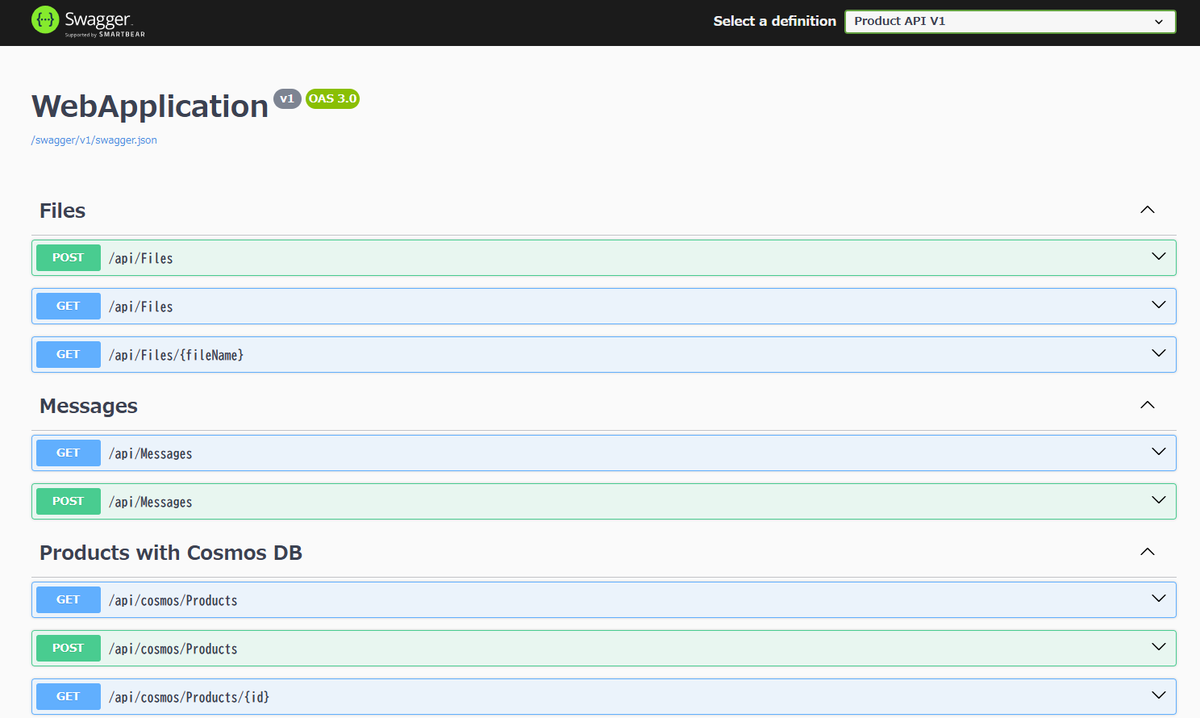
.NET 9 が GA しましたので、Azure App Service にデプロイされている ASP.NET Core のアプリケーションをマイグレーションしました。
Application
.NET 8 から 9 にマイグレーションする手順は、こちらのドキュメントの通りです。
learn.microsoft.com
このアプリケーションは Web API なので、Target Framework と Nuget Library のバージョンを更新するだけで完了しました。
<Project Sdk="Microsoft.NET.Sdk.Web">

  <PropertyGroup>
    <TargetFramework>net9.0</TargetFramework>
	  <Nullable>enable</Nullable>
	  <ImplicitUsings>enable</ImplicitUsings>
      <UserSecretsId>9b78b10b-0a8e-4ee1-a5d8-45b31b399498</UserSecretsId>
	  </PropertyGroup>

  <ItemGroup>
    <PackageReference Include="AutoMapper" Version="13.0.1" />
    <PackageReference Include="Azure.Data.Tables" Version="12.9.1" />
    <PackageReference Include="Azure.Extensions.AspNetCore.Configuration.Secrets" Version="1.3.2" />
    <PackageReference Include="Azure.Identity" Version="1.13.1" />
    <PackageReference Include="Azure.Storage.Blobs" Version="12.23.0" />
    <PackageReference Include="Azure.Storage.Queues" Version="12.21.0" />
    <PackageReference Include="Microsoft.ApplicationInsights.AspNetCore" Version="2.22.0" />
    <PackageReference Include="Microsoft.Azure.Cosmos" Version="3.46.0" />
    <PackageReference Include="Microsoft.EntityFrameworkCore.SqlServer" Version="9.0.0" />
    <PackageReference Include="Microsoft.EntityFrameworkCore.Tools" Version="9.0.0">
      <PrivateAssets>all</PrivateAssets>
      <IncludeAssets>runtime; build; native; contentfiles; analyzers; buildtransitive</IncludeAssets>
    </PackageReference>
    <PackageReference Include="Newtonsoft.Json" Version="13.0.3" />
    <PackageReference Include="Swashbuckle.AspNetCore" Version="7.2.0" />
  </ItemGroup>

  <ItemGroup>
    <Folder Include="Controllers\" />
  </ItemGroup>

</Project>
Cosmos DB Client を最新バージョンに更新したところ、ビルドエラーが発生しました。
The Newtonsoft.Json package must be explicitly referenced with version >= 10.0.2. Please add a reference to Newtonsoft.Json or set the 'AzureCosmosDisableNewtonsoftJsonCheck' property to 'true' to bypass this check.
何故か Newtonsoft.Json パッケージの明示的な参照を求められるようになり、オプトアウトの設定(AzureCosmosDisableNewtonsoftJsonCheck)を試しましたが、ビルドエラーは解決しませんでした。仕方なく Newtonsoft.Json パッケージをインストールしましたが、旧バージョンでは必要なかったのでこの対応は解せないと感じました。
github.com
Azure App Service
App Service 側は、.NET Version を変更するのみです。
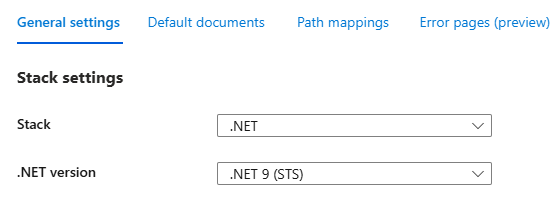
GitHub Actions を組んでいるので、こちらの dotnet-version も忘れずに更新します。
jobs:
  build:
    runs-on: windows-latest

    steps:
      - uses: actions/checkout@v4

      - name: Set up .NET Core
        uses: actions/setup-dotnet@v1
        with:
          dotnet-version: '9.0.x'
          include-prerelease: true
ここまでの変更をリポジトリにプッシュすると、エラーが発生しました。
This request has been automatically failed because it uses a deprecated version of `actions/upload-artifact: v2`
.NET 9 のマイグレーションと別件で、GitHub Actions の artifact actions v2 が廃止されていたことが原因だったので、v4 に更新しました。
github.blog
以上で、無事に .NET 9 へのマイグレーションが完了しました。